

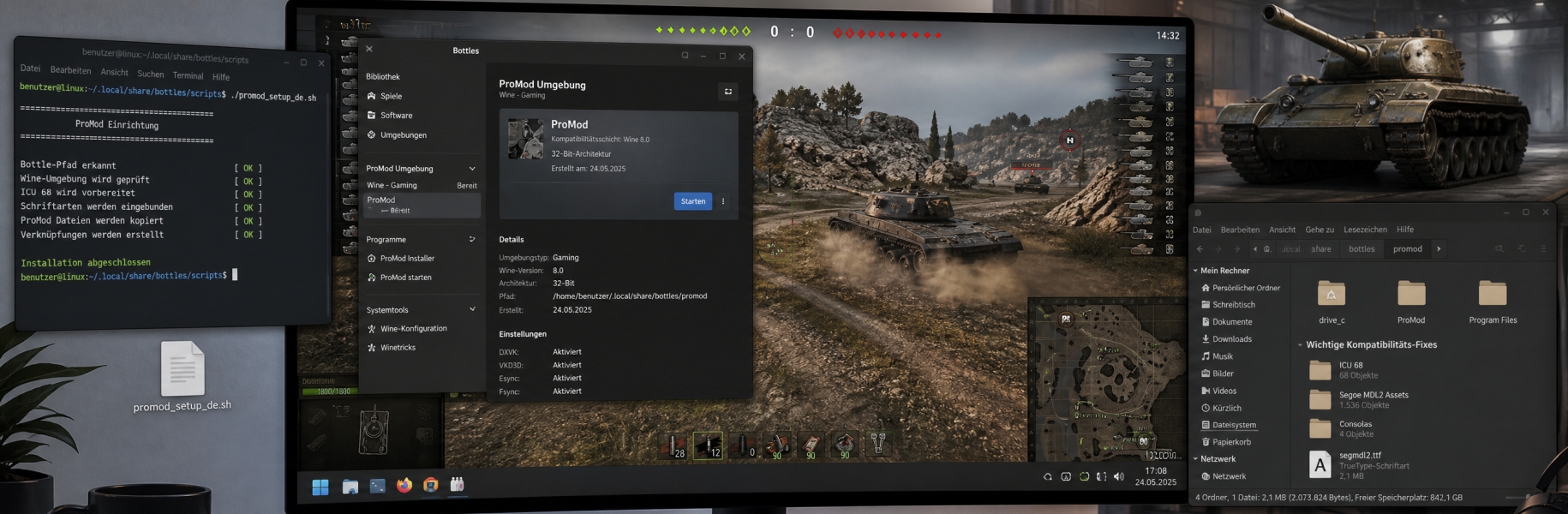
ProMod runs on Linux through Wine or Bottles. Once installed, three fixes are needed, otherwise the installer crashes on launch or the interface stays incomplete. A ready-made script by xEnSei takes care of all three.
Script and instructions on GitHubgithub.com/xEnSei/ProMod-Setup-Bottles-Wine
What the script fixes
Crash on launch
ProMod needs .NET with ICU version 68, while current distributions ship much newer builds. The log then shows a message about icuuc68. The script pulls the matching version from NuGet and places the three required libraries in the ProMod folder.
Blank icons in the interface
ProMod uses the Windows font “Segoe MDL2 Assets” for its icons, and Wine does not ship it. The script installs it into the bottle and registers it in the Wine registry. The font belongs to Microsoft and is therefore not included — you need your own copy, for example from a Windows installation at C:\Windows\Fonts\segmdl2.ttf.
Missing Consolas font
Used for paths and version numbers, installed afterwards through winetricks consolas.
Requirements
- A working bottle or Wine prefix with ProMod already installed
curl,unzipandfind— present on most distributions anywaywinetricks— optional, without it the third step is skipped- Your own copy of
Segoe MDL2 Assets.ttf— optional
Usage
The script comes in English (promod_setup_en.sh) and German (promod_setup_de.sh). Call it like this:
./promod_setup_en.sh <BottlePath> [RunnerBinPath]
BottlePath — the path to your bottle, usually /home/<user>/.local/share/bottles/bottles/<bottlename>. In Bottles you can find it by right-clicking the bottle and choosing “Open in File Manager”.
RunnerBinPath — optional, points to the bin/ folder of the runner you use, such as a specific GE-Proton build. Only needed when several Wine versions are installed and the message wine client error: version mismatch appears.
If Segoe MDL2 Assets.ttf sits in the same folder as the script, it is picked up automatically. Otherwise the script asks for the path; leave the input empty and the step is skipped. Afterwards, start ProMod from Bottles as usual.
Good to know
- While the script runs, an error dialog about
rundll32.exemay appear several times, and once more the next time ProMod starts. Dismiss it with “No”, after that it stays away. - One cosmetic detail remains: the X icon in the top right of the video banner stays blank. It does not affect how ProMod works.
- Testing was done against a bottle with a Proton runner, DXVK/VKD3D and ntsync. Other combinations may behave differently.
The script is not ours, it was written by xEnSei — questions and bug reports belong in the linked GitHub project. For anything about ProMod itself, you can reach us on Discord as usual.